Step 1: Choose a Reviewer Quiz
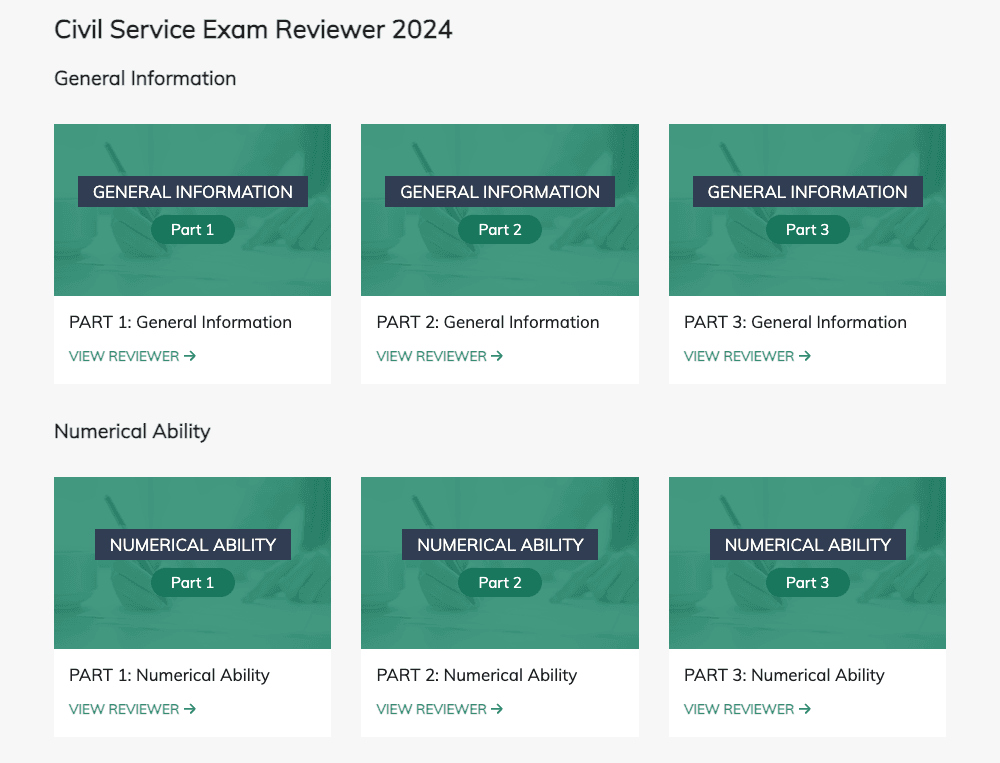
Begin by navigating to the Reviewer List Page. Here, you can browse through various civil service quizzes available for you. Once you find a quiz that interests you, click on it to proceed to the next step.
Welcome to our Civil Service Reviewer! This guide will help you navigate through the quiz-taking process and understand how to check your results. Follow these simple steps to make the most of your online learning experience.
Begin by navigating to the Reviewer List Page. Here, you can browse through various civil service quizzes available for you. Once you find a quiz that interests you, click on it to proceed to the next step.
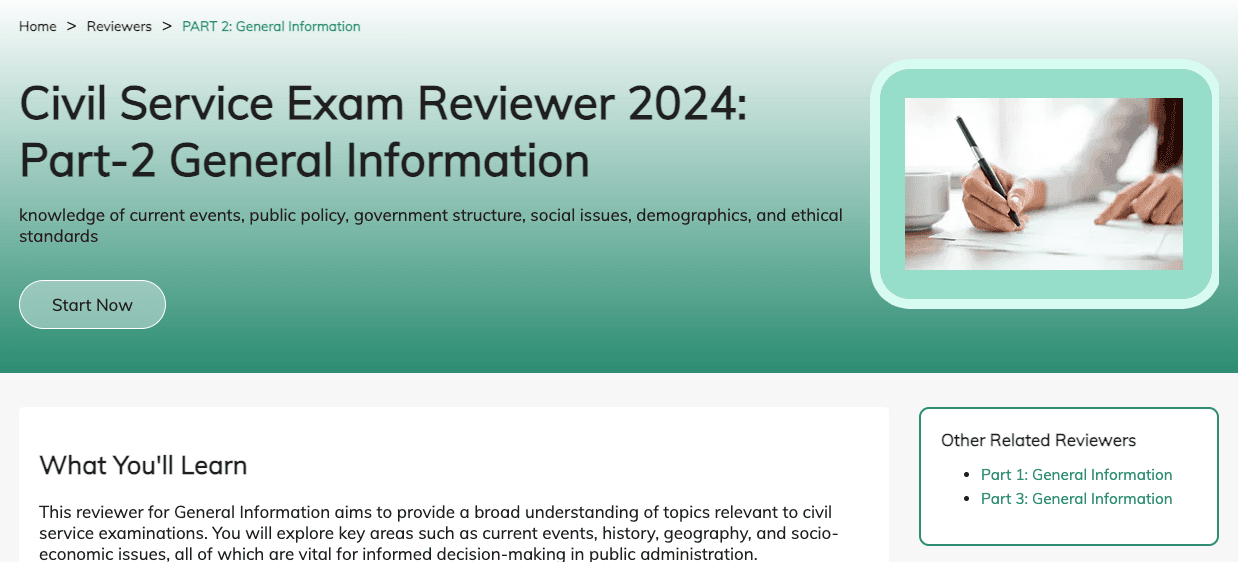
You will be redirected to the Reviewer Details Page. This page provides an overview of the quiz contents, including topics covered and any other relevant information. When you’re ready, click on the Start/Retake button to begin the quiz, or select Continue if you have previously started the quiz but didn’t finish.
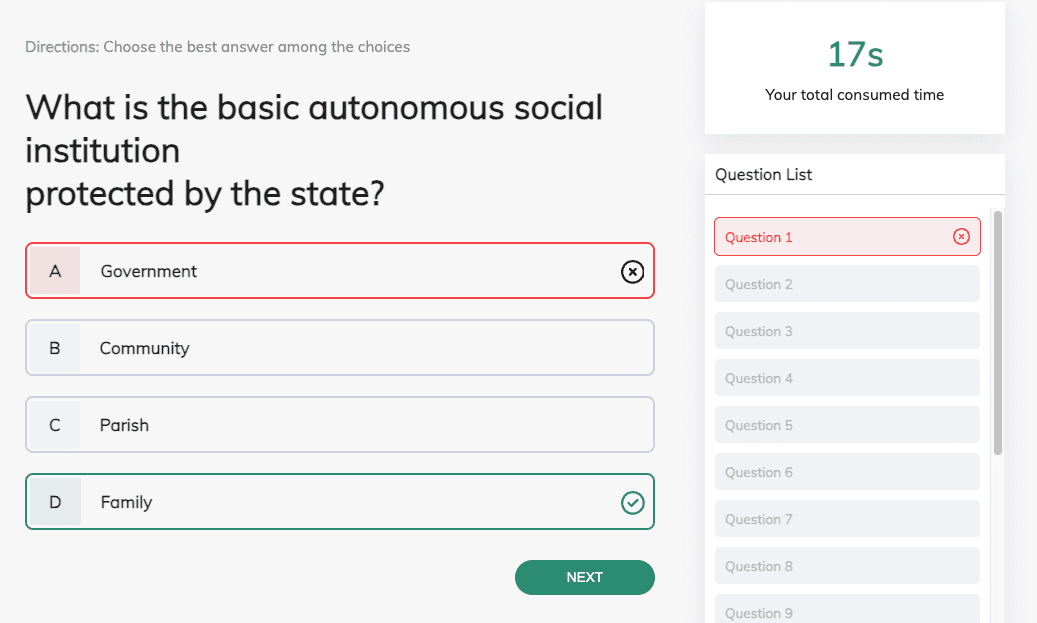
You will then be directed to the Questionnaires Page. Here, you will see a series of questions related to the quiz. Carefully read the directions provided and select your answer from the given choices. As you answer the questions, your selections will be indicated by color coding: correct answers will show in green, while incorrect answers will appear in red.
To move through the quiz, click the Next button to advance to the following question. If you want to review any previous questions, simply click the Prev button.
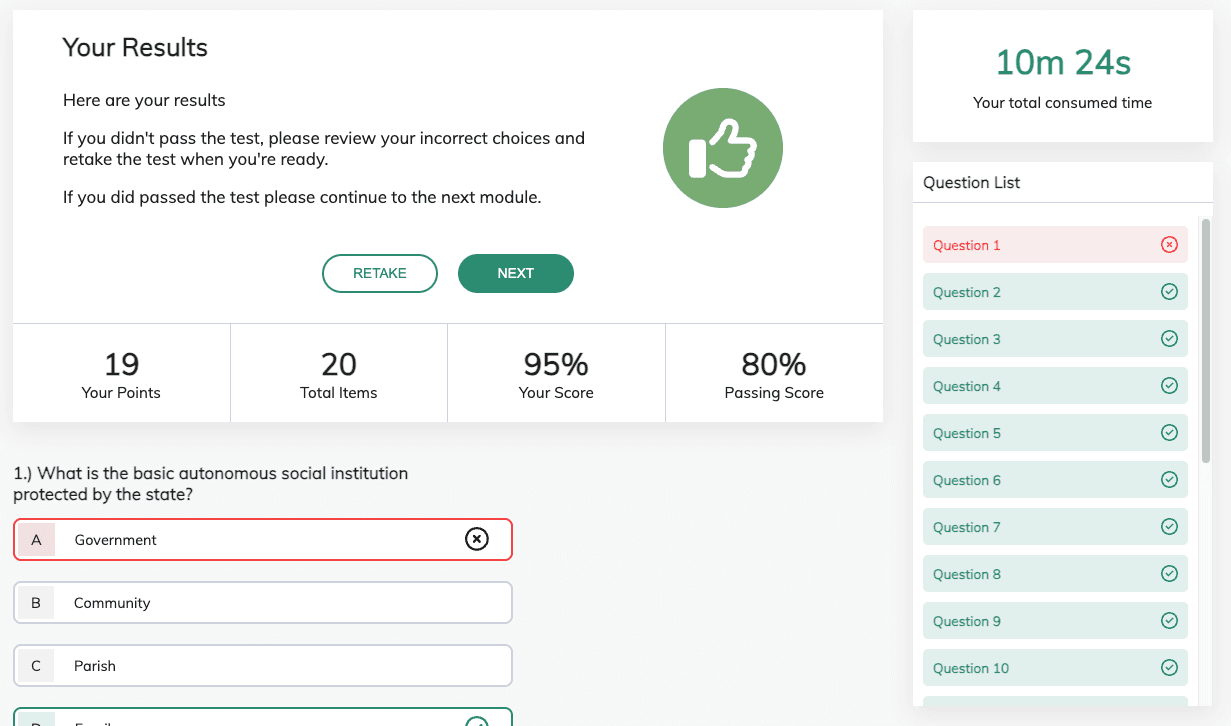
On the right sidebar of the Questionnaires Page, you’ll find helpful tools to monitor your quiz progress. This includes a total accumulated time spent on the test and a list of question numbers. The active question will be highlighted, allowing you to keep track of your history of answered questions.
After you’ve answered all the questions, your results will be displayed. You will see a clear indication of whether you passed based on the required passing score. Look for the green thumbs-up icon for a pass or a red thumbs-down icon for a fail.
Taking our Civil Service Quiz is a straightforward process designed to help you prepare effectively. We encourage you to make use of the features available and track your progress as you strive for success. Happy studying!